1. Specifications Comparison
| Feature | Samsung Galaxy Tab S9 FE | Samsung Galaxy M35 | Practical Impact |
|---|---|---|---|
| Design | |||
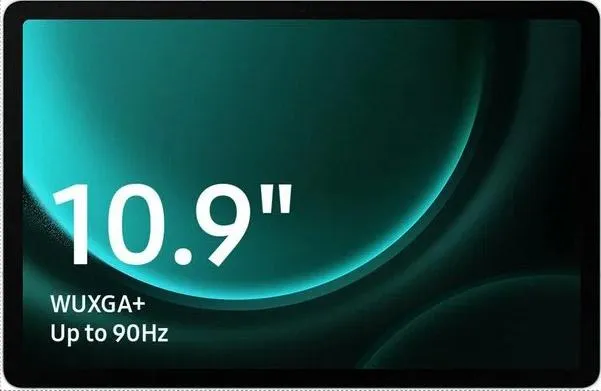
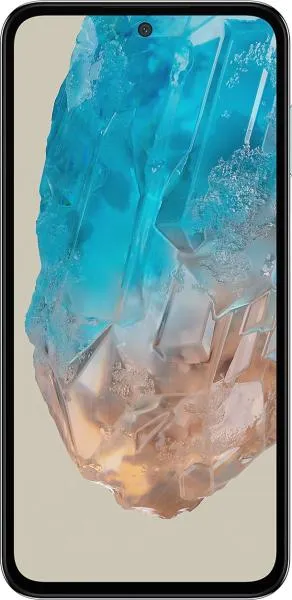
| Dimensions | 254.3 x 165.8 x 6.5 mm | 162.3 x 78.6 x 9.1 mm | Tab S9 FE is significantly larger, geared towards media consumption and productivity; M35 is a more pocketable, one-handed use phone. |
| Weight | 523g | 222g | Tab S9 FE is much heavier, less suitable for extended handheld use. M35 is lighter and more comfortable for daily use. |
| Display | |||
| Display Size | 10.9" | 6.6" | Tab S9 FE offers a much larger screen for immersive media consumption and multitasking; M35 is more portable. |
| Display Type | IPS LCD, 90Hz | Super AMOLED, 120Hz, 1000 nits (HBM) | M35 boasts superior display technology with vibrant colors, deeper blacks, smoother scrolling, and higher brightness for better outdoor visibility. Tab S9 FE's LCD may appear washed out in comparison. |
| Resolution | 1440 x 2304 | 1080 x 2340 | Despite the lower resolution, the M35's smaller screen size results in a comparable pixel density. |
| Refresh Rate | 90Hz | 120Hz | M35 offers smoother animations and transitions due to the higher refresh rate. |
| Performance | |||
| Chipset | Exynos 1380 (5 nm) | Exynos 1380 (5 nm) | Identical chipsets suggest similar performance capabilities for everyday tasks and some gaming. |
| CPU | Octa-core (4x2.4 GHz Cortex-A78 & 4x2.0 GHz Cortex-A55) | Octa-core (4x2.4 GHz Cortex-A78 & 4x2.0 GHz Cortex-A55) | Identical CPUs further reinforce similar performance expectations. |
| GPU | Mali-G68 MP5 | Mali-G68 MP5 | Identical GPUs indicate comparable graphics performance. |
| RAM | 8GB | 8GB | Same RAM capacity ensures smooth multitasking on both devices. |
| Storage | 256GB | 256GB | Both offer the same storage capacity. |
| Other | |||
| Battery | 8000 mAh | 6000 mAh | Tab S9 FE's larger battery likely provides significantly longer battery life, essential for a tablet. |
| OS | Android 13 | Android 14 | M35 ships with a newer Android version, offering potential performance and feature advantages. |
| NFC | No | Yes | M35 supports contactless payments and data transfer via NFC, a feature absent in the Tab S9 FE. |
| Sensors | Missing Proximity Sensor | Has Proximity Sensor | Tab S9 FE relies on accessories for proximity detection, potentially impacting usability during calls if not equipped. M35 has a built in proximity sensor for normal phone operation. |
2. Key Differences Analysis
Samsung Galaxy Tab S9 FE Advantages:
- Larger Display: Significantly bigger screen for immersive content consumption and productivity.
- Longer Battery Life: Substantially larger battery capacity for extended usage.
Samsung Galaxy M35 Advantages:
- Superior Display Quality: AMOLED technology offers vibrant colors, deeper blacks, and better outdoor visibility.
- Higher Refresh Rate: Smoother scrolling and animations.
- More Compact and Lighter: Easier to carry and use one-handed.
- NFC Functionality: Enables contactless payments.
- Newer Android Version: Potentially offers performance and feature benefits.
Trade-offs:
- Tab S9 FE: Larger size and weight compromise portability. LCD screen is inferior to AMOLED. Lacks NFC.
- M35: Smaller screen limits multitasking and media consumption experience. Smaller battery capacity may require more frequent charging.
3. User Profiles & Recommendations
Samsung Galaxy Tab S9 FE: Ideal for users who prioritize a large screen for media consumption, note-taking, drawing, and light productivity tasks. Students, artists, and those who consume a lot of video content would benefit.
Samsung Galaxy M35: Suitable for users who prefer a compact and portable phone for everyday communication, social media, web browsing, and light gaming. Its superior display quality enhances the overall experience.
4. Decision Framework
Key Questions:
- What is your primary use case? (Media consumption, productivity, communication)
- How important is portability? (One-handed use, pocket-ability vs. large screen)
- What is your budget? (Consider the price difference between the two devices.)
Scenario-Based Recommendations:
- Student needing a device for note-taking and media consumption: Tab S9 FE
- Professional needing a compact phone for communication and on-the-go tasks: M35
- Casual user prioritizing social media and entertainment: M35
My Choice: Samsung Galaxy M35
While the Tab S9 FE offers a compelling large screen experience, the M35's superior AMOLED display, smoother 120Hz refresh rate, compact form factor, NFC functionality, and newer Android version make it a more well-rounded device for my needs. I prioritize portability, a high-quality display, and modern features in a smartphone. The Tab S9 FE's size and weight, along with the lack of NFC and older OS version, make it less appealing for my daily use. Although I appreciate the Tab S9 FE's larger battery, I believe the M35's battery would be sufficient for my usage, and I prefer the trade-off for increased portability.
