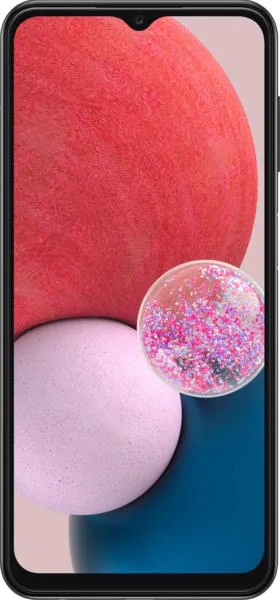
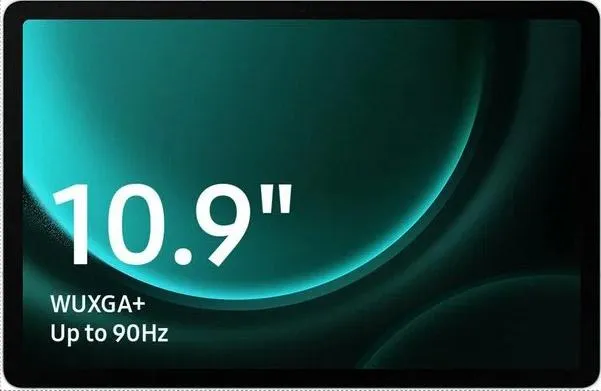
Let's dive into a comparative analysis of the Samsung Galaxy A13 and the Samsung Galaxy Tab S9 FE, focusing on the user experience rather than just raw specifications.
1. Design and Usability Assessment
| Feature | Samsung Galaxy A13 | Samsung Galaxy Tab S9 FE | User Experience Impact |
|---|---|---|---|
| Form Factor | Smartphone | Tablet | The Tab S9 FE offers a larger screen for media consumption and productivity, while the A13 is more portable for on-the-go use. |
| Display | 6.6" PLS LCD | 10.9" IPS LCD | The Tab S9 FE's larger, higher-resolution display provides a more immersive visual experience, but the A13 is sharper with higher pixel density |
| Interface | One UI Core 4.1 | One UI 5.1 | Both offer a similar user interface with slight variations in features and customization options based on the OS version differences |
| Interaction | Touch-based | Touch-based, S Pen Support | The Tab S9 FE's S Pen support adds a layer of precision and creative input, making it suitable for note-taking, drawing, and other tasks. |
| Ergonomics | Compact, lightweight | Larger, heavier | The A13 is easier to hold and use with one hand, while the Tab S9 FE is better suited for two-handed use or placement on a surface. |
| Accessibility | Standard Android Accessibility Features | Standard Android Accessibility Features, potential for S Pen accessibility enhancements | The Tab S9 FE may offer greater accessibility for users with specific needs due to its larger screen and S Pen capabilities. |
2. Narrative-Driven Feature Exploration
Scenario: Imagine a student using these devices for their studies. The A13 user quickly captures lecture notes using the phone's camera, then seamlessly shares them with classmates via messaging apps. The Tab S9 FE user, on the other hand, utilizes the S Pen to annotate lecture slides directly, sketching diagrams and highlighting key concepts with precision. Later, they use the larger screen to multitask, researching online while taking notes in a split-screen view.
This scenario highlights how each device caters to different learning styles and needs. The A13 prioritizes portability and quick information capture, while the Tab S9 FE emphasizes detailed note-taking and immersive multitasking.
3. Inclusive Technology Evaluation
Both devices offer standard Android accessibility features. However, the Tab S9 FE's S Pen can be a game-changer for users with motor skill challenges or those who prefer handwritten input. Its larger screen also benefits users with visual impairments. The A13, with its affordability, makes technology accessible to a broader audience.
4. Design-Centric Decision Framework
Choosing between these devices depends on individual priorities. For those seeking a portable, budget-friendly device for everyday communication and basic tasks, the A13 is a solid choice. If a larger screen for creative work, entertainment, and multitasking is paramount, the Tab S9 FE emerges as the winner. The S Pen's potential for accessibility enhancements is a crucial factor for users with specific needs.
My Choice: Samsung Galaxy Tab S9 FE
While the Galaxy A13 is a commendable budget smartphone, I would choose the Samsung Galaxy Tab S9 FE. My decision is driven by several factors:
- Enhanced Productivity: The larger display and S Pen support create a powerful platform for note-taking, sketching, and multitasking, aligning perfectly with my workflow as a technology communications specialist. I often need to analyze documents, create visual content, and work on multiple projects simultaneously.
- Immersive Media Consumption: The Tab S9 FE's spacious screen provides a superior experience for watching videos, reading articles, and browsing the web.
- Creative Potential: The S Pen opens up new avenues for creative expression and idea generation. It allows for more intuitive brainstorming and visual communication, which are essential for my role.
- Future-Proofing: The Tab S9 FE's newer processor and longer software update commitment ensure a device that will remain relevant and performant for years to come.
While portability is a consideration, the significant productivity and creative gains offered by the Tab S9 FE outweigh the convenience of a smaller device for my specific needs. The added accessibility benefits of the S Pen further solidify its position as the more compelling choice.
